
Start with your smartphone
Record a video at each location. PanoPort creates a panorama in your browser without requiring additional panorama software on your device.
 PanoPort
Show what makes your place special. PanoPort turns smartphone videos into interactive panoramas that you can connect to create your own virtual tour.
The app opens your private workspace. You need a configured user account to use it.
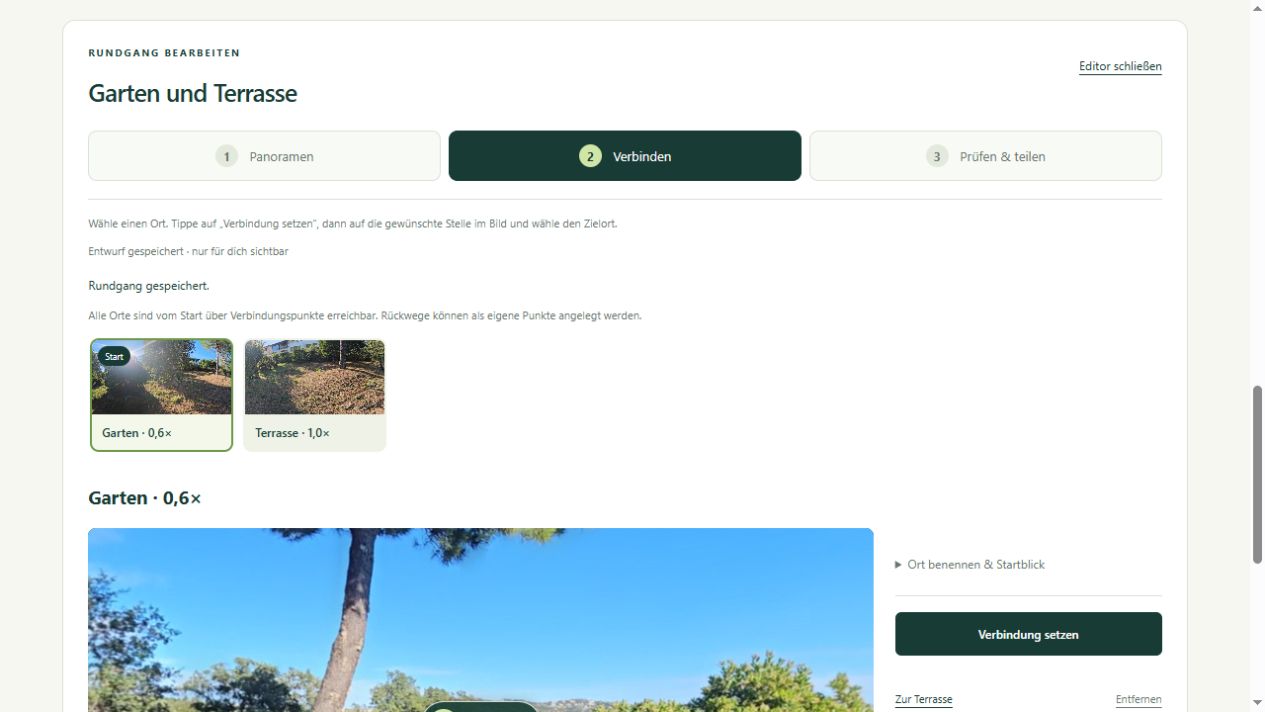
Record a video at each location. PanoPort creates a panorama in your browser without requiring additional panorama software on your device.
Link the entrance, reception, rooms or terrace using clickable points. Visitors choose how to move from one location to the next.
Your account keeps your gallery and tours together. A shared link displays the tour; your gallery and editing tools remain protected.
Film in portrait orientation, preferably using 0.6× ultra-wide in your camera app. Rotate steadily from one position and fully include the starting view again at the end.
Import the video into PanoPort and select the zoom setting used for the recording. This setting describes the footage; it does not control the camera. Processing runs on your device and can take several minutes.
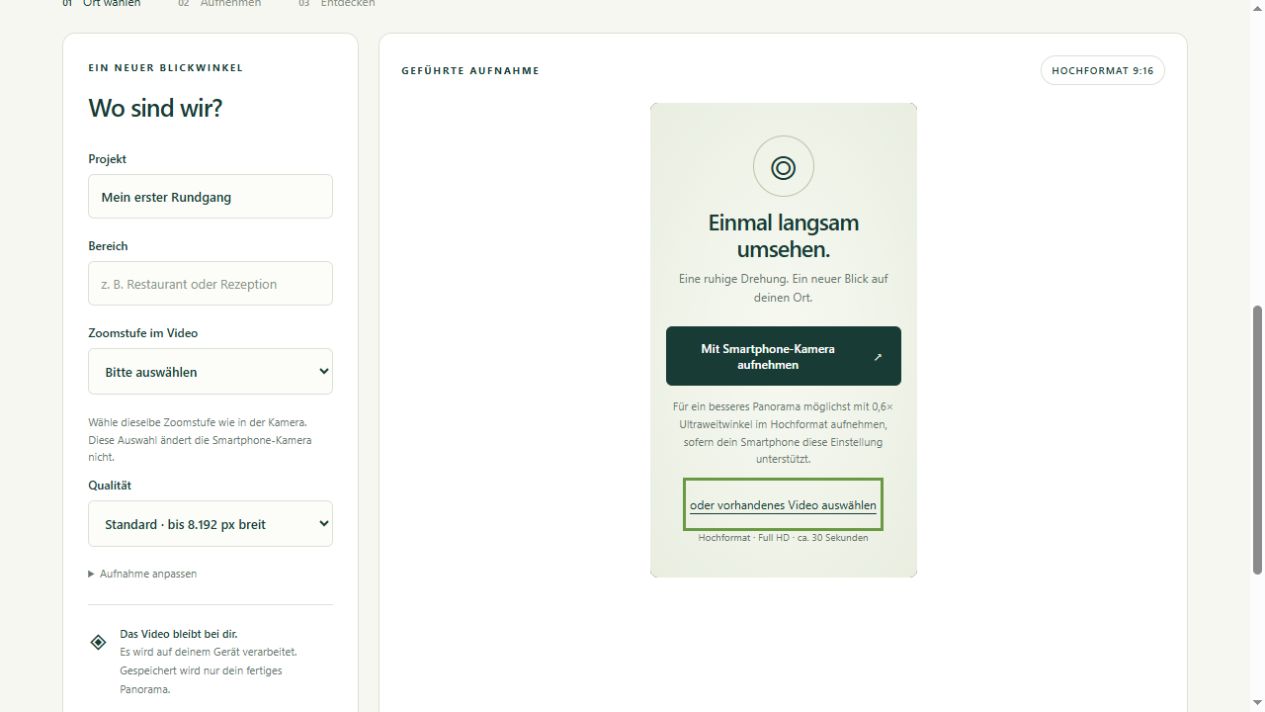
A clear workflow you can repeat for every additional location.
Film in portrait orientation, preferably using 0.6× ultra-wide in your camera app. Rotate steadily from one position and fully include the starting view again at the end.
Import the video into PanoPort and select the zoom setting used for the recording. This setting describes the footage; it does not control the camera. Processing runs on your device and can take several minutes.
Check sharpness, transitions and straight edges. Save a good result to your gallery and repeat the recording if needed.
Select several panoramas, add connections and return paths, and test every destination. Then create a sharing link and send it to your visitors.
The animated guide takes you from your first recording to a shared virtual tour.
3:12 min · German narration · German, English and French subtitles.
Give a first spatial impression of your accommodation, entrance and terrace.
Show selected areas, rental accommodation or fresh views of your site.
Help visitors understand rooms, seating areas and how different spaces connect.
Results depend on lighting, movement, the scene and your device. Processing takes time; keep the page open and the screen awake. PanoPort is a practical tool for creating your own previews, but it does not replace a professional photographer.
For a polished presentation of your place, we can plan a tailored virtual tour and professional photography with you.
Request access from pixXmedia. PanoPort uses configured user accounts; this page does not offer open self-registration. We discuss scope and terms with you personally.
Panorama processing runs locally in your browser on your device. When you save results, panoramas and tour data are stored on the server and assigned to your account.
A tour becomes accessible through its sharing link. Anyone with that link can view it, so only share content you intend to make available to those viewers.
No. Movement, changes in exposure and difficult scenes can affect transitions. Review every result before saving and sharing it. For high-quality, carefully composed presentations, choose professional photography.
This product page is available in German, English and French. The guide shown here and the current app interface are in German.
A single service or a shared concept — let’s talk about it.